▪️Activity: Limit
With the 'Limit', you can count the number of times a specific activity will be executed and what the outcome will be after the limit is reached.
The ‘Limit’ activity is available in the flow builder for both Journeyes and Scheduled Campaigns.


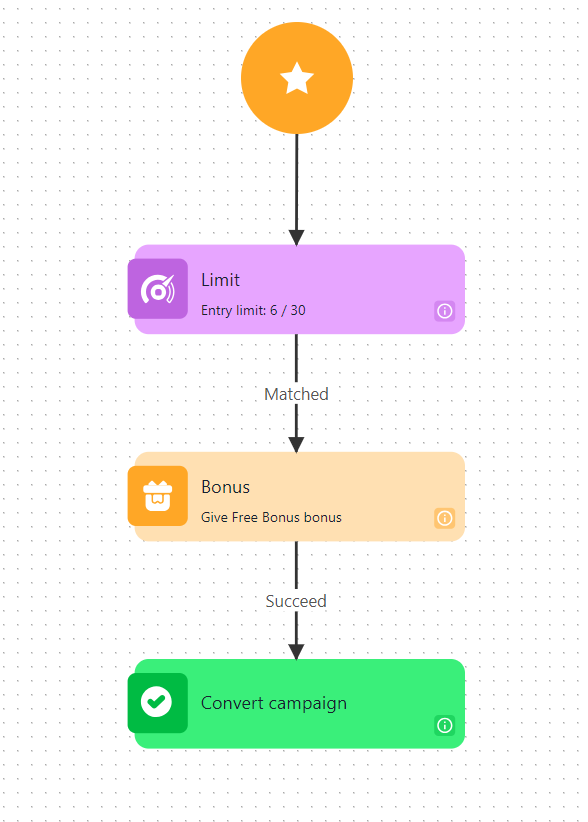
The Limit activity measures how many times the event reaches or exceeds the predefined limit. If the passed events are less than or equal to, they are considered as ‘Matched’, while those exceeding the specified limit are labeled as ‘Not Matched’. This way, you can define what the outcome will be in both cases - when the limit is reached and after it is exceeded.
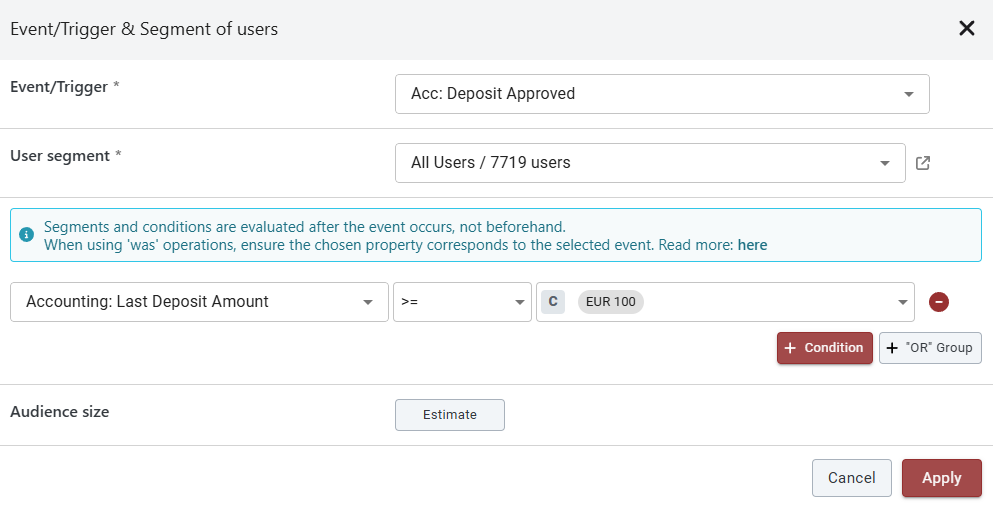
Here's an example scenario: You can set up a journey to award bonuses to players who have made deposits of 100 EUR or more, with only the first 30 players who enter the campaign receiving the bonus.


Limit Activity Reset (only for Scheduled campaigns)
You can choose whether or not to reset the progress in the ‘Limit’ activity within the flow builder for Scheduled Campaigns. The option is available only for campaigns scheduled to recur:
Daily
On specific Days of the Week
On specific Days of the Month
By default, the option is disabled, meaning that the progress made in the Limit activity will not be reset when the campaign recurs. When enabled, the progress made in the Limit activity will be reset on campaign recurrence.

Last updated
Was this helpful?