> For the complete documentation index, see [llms.txt](https://help.smartico.ai/welcome/llms.txt). Markdown versions of documentation pages are available by appending `.md` to page URLs; this page is available as [Markdown](https://help.smartico.ai/welcome/products/crm-automation/activities-of-flows/activity-add-points.md).
# Activity: Add Points / Add Gems & Diamonds
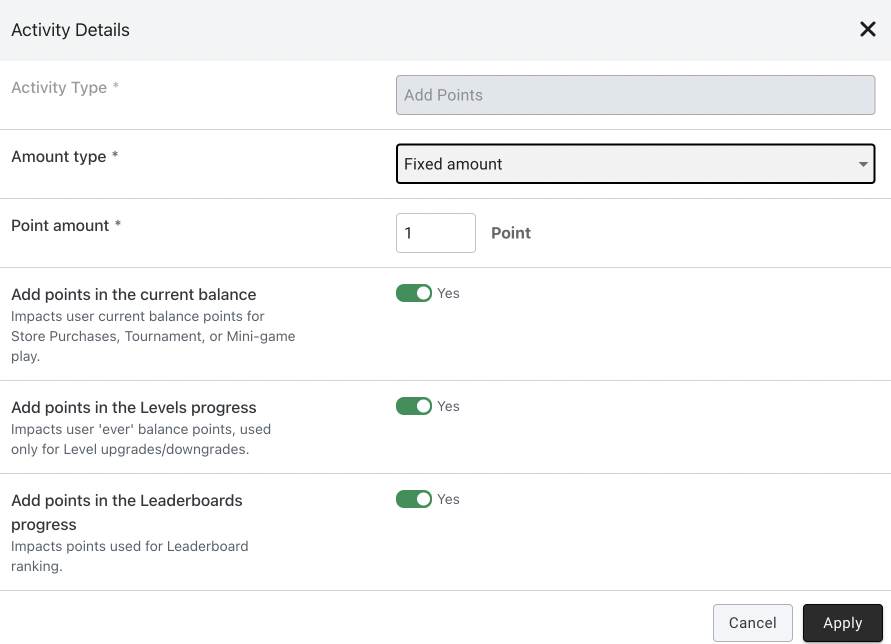
This activity is giving fixed or dynamically calculated amount of points/gems/diamonds to the player.
In case of points you can decide if the amount will be given to current balance, balance of levels progress and leaderboard progress. At least one of these three options must be on.
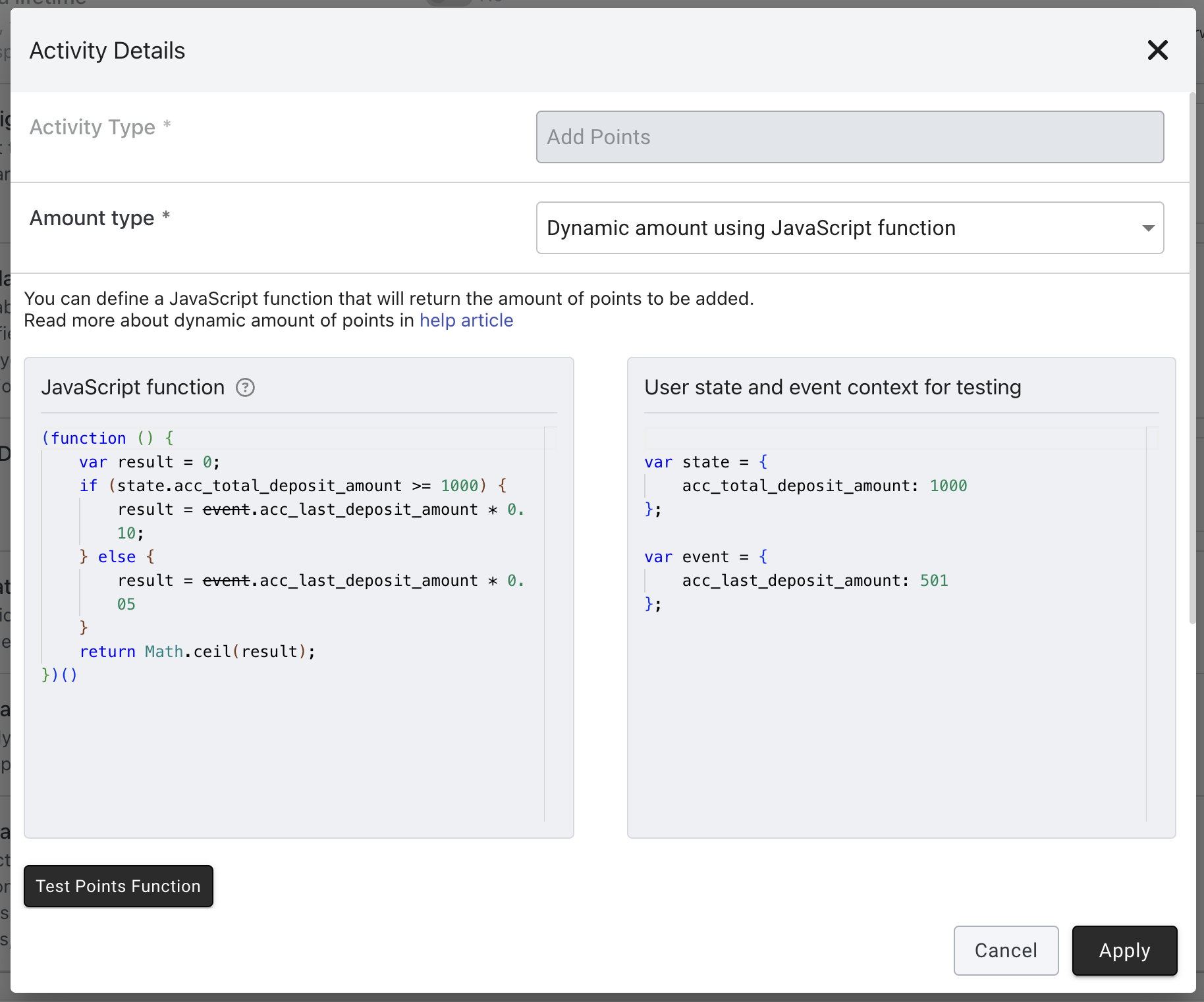
You can also calculate the amount of points/gems/diamonds with a JavaScript function, based on the event that the activity is connected to and on the user state. To do this, set **Amount type** to **Dynamic amount using JavaScript function**. This will require basic knowledge of JavaScript.
You can write JavaScript for the function and define user state and event, that can be used for testing.
Button "Test points function" (for gems and diamonds: "Test gems function" and "Test diamonds function") will give you immediate result, so you can verify your definition before enabling activity for end users.
For example, following function will give 10% of deposit amount as number of points, in case total lifetime deposit amount of player is 1000 or more. Otherwise it will give 5% of deposit amount. This example rounds the result up with `Math.ceil`, e.g. if calculated amount is 10.3 points, then we will give 11. If a function returns a number with decimals, Smartico drops the decimals (10.3 becomes 10). If the result is 0, nothing is given.
```javascript
(function () {
var result = 0;
if (state.acc_total_deposit_amount >= 1000) {
result = event.acc_last_deposit_amount * 0.10;
} else {
result = event.acc_last_deposit_amount * 0.05
}
return Math.ceil(result);
})()
```
## Deduct and reset points, gems and diamonds
Four more activities take points, gems or diamonds away from a player:
| Activity | What it does |
| -------------------------- | -------------------------------------------------------------- |
| **Deduct points** | Takes a fixed or calculated amount of points from the player. |
| **Reset points** | Sets the player's points to 0. |
| **Deduct gems & diamonds** | Takes a fixed or calculated amount of gems, diamonds, or both. |
| **Reset gems & diamonds** | Sets the player's gems, diamonds, or both to 0. |
A balance never goes below 0. If the player has fewer points, gems or diamonds than the activity takes, that balance becomes 0. For example, a player has 10 points and you deduct 15 points: the balance is 0.
### Deduct points
* **Amount type**: **Fixed amount** or **Dynamic amount using JavaScript function**. The function works the same way as for adding points (see above): it returns the amount to deduct, decimals are dropped, and if the result is 0 nothing is deducted. The text above the editor says "the amount of points to be added"; for this activity the result is the amount to take away. Test it with the **Test points function** button.
* **Point amount**: the number of points to deduct (a whole number, 1 or more). Shown when **Amount type** is **Fixed amount**.
* **Deduct points in the current balance**: takes the points from the balance the player spends in the Store, on tournaments and on mini-games.
* **Deduct points in the Levels progress**: takes the points from the lifetime points that decide the player's level.
* **Deduct points in the Leaderboards progress**: takes the points from the points that rank the player on leaderboards.
All three switches are **Yes** by default. Each balance is changed only when its switch is on. Unlike **Add points**, the form does not ask for at least one switch, so with all three switches off no balance changes.
When **Deduct points in the Levels progress** is on, Smartico calculates the player's level again from the new lifetime points. The player can move down to a lower level. When the label setting **Level logic: manual (points do not change levels)** is on, points never change the level, so this activity does not change it either. Read more in [Levels](/welcome/products/gamification-basics/levels.md#level-logic-with-manual-control-of-level-upgrades-and-downgrades).
### Reset points
The activity has three switches, all **Yes** by default:
* **Reset points in the current balance**
* **Reset points in the Levels progress**
* **Reset points in the Leaderboards progress**
Each balance whose switch is on is set to 0. The other balances do not change. When **Reset points in the Levels progress** is on, the level is calculated again in the same way as for **Deduct points**.
### Deduct gems & diamonds
* **Type**: **Gems**, **Diamonds**, or **Gems & Diamonds**. It decides which balances the activity changes.
* **Amount type**: **Fixed amount** or **Dynamic amount using JavaScript function**.
* **Gems** and **Diamonds**: the amount to deduct (1 or more). Shown when **Amount type** is **Fixed amount**.
* With **Dynamic amount using JavaScript function**, there is one function for gems and one for diamonds. Test them with **Test gems function** and **Test diamonds function**.
Gems and diamonds have one balance each. They do not count for levels or leaderboards.
### Reset gems & diamonds
The activity has two switches, both on by default:
* **Reset gems**: sets the gems balance to 0.
* **Reset diamonds**: sets the diamonds balance to 0.
### Where you can use them
* [**Campaign flows**](/welcome/products/crm-automation/create-journey-flow.md): all four activities. The points activities need gamification on your label. The gems and diamonds activities need gems and diamonds on your label; without them, the flow builder shows these activities in grey and you cannot add them.
* [**Automation rules**](/welcome/products/crm-automation/automation-rules.md): all four activities. The gems and diamonds activities are in the list only when gems and diamonds are on for your label.
* **Tournament prizes**: all four activities, in the **Prize type** list of the [tournament setup](/welcome/products/gamification-basics/tournaments/tournament-setup.md). Here only a fixed amount is possible: the **Amount type** field is not shown.
* [**Missions**](/welcome/products/gamification-basics/missions.md) cannot deduct or reset: for points, gems and diamonds, mission rewards can only add, not deduct or reset.
Read more about the balances in [Points, Gems and Diamonds](/welcome/products/gamification-basics/points.md) and [Levels](/welcome/products/gamification-basics/levels.md).
## Outgoing connections
Add Points has one outgoing connection. Deduct points, Reset points and the gems & diamonds steps have the same one (there is no Failed connection):
Outgoing connections of Add Points in a flow. The numbers match the table below.
| # | Connection | When the player goes this way |
| - | ---------- | ---------------------------------------------------------------------------------------------------------------------- |
| 1 | **Then** | Right away, when Smartico starts the step. It does not wait for the result, so it also runs when the step fails later. |
---
# Agent Instructions
This documentation is published with GitBook. GitBook is the documentation platform designed so that both humans and AI agents can read, navigate, and reason over technical content effectively. Learn more at gitbook.com.
## Querying This Documentation
If you need additional information that is not directly available in this page, you can query the documentation by asking a question.
Perform an HTTP GET request on the following URL with the `ask` and `goal` query parameters:
```
GET https://help.smartico.ai/welcome/products/crm-automation/activities-of-flows/activity-add-points.md?ask=&goal=
```
`ask` is the immediate question: it should be specific, self-contained, and written in natural language.
`goal` is what the user is ultimately trying to achieve, the reason they need the answer. Sharing it helps GitBook give you a better, more relevant answer. A goal is most helpful when it describes the outcome the user wants rather than restating the question. For example, with `ask=how do I create an API token`, a goal like `automate deployments from our CI pipeline` lets GitBook tailor the answer to that use case.
The response will contain a direct answer to the question and relevant excerpts and sources from the documentation.
Use this mechanism when the answer is not explicitly present in the current page, you need clarification or additional context, or you want to retrieve related documentation sections.