> For the complete documentation index, see [llms.txt](https://help.smartico.ai/welcome/llms.txt). Markdown versions of documentation pages are available by appending `.md` to page URLs; this page is available as [Markdown](https://help.smartico.ai/welcome/products/ai-agents/ai-agent-data-analyst.md).
# AI Agent: Data Analyst
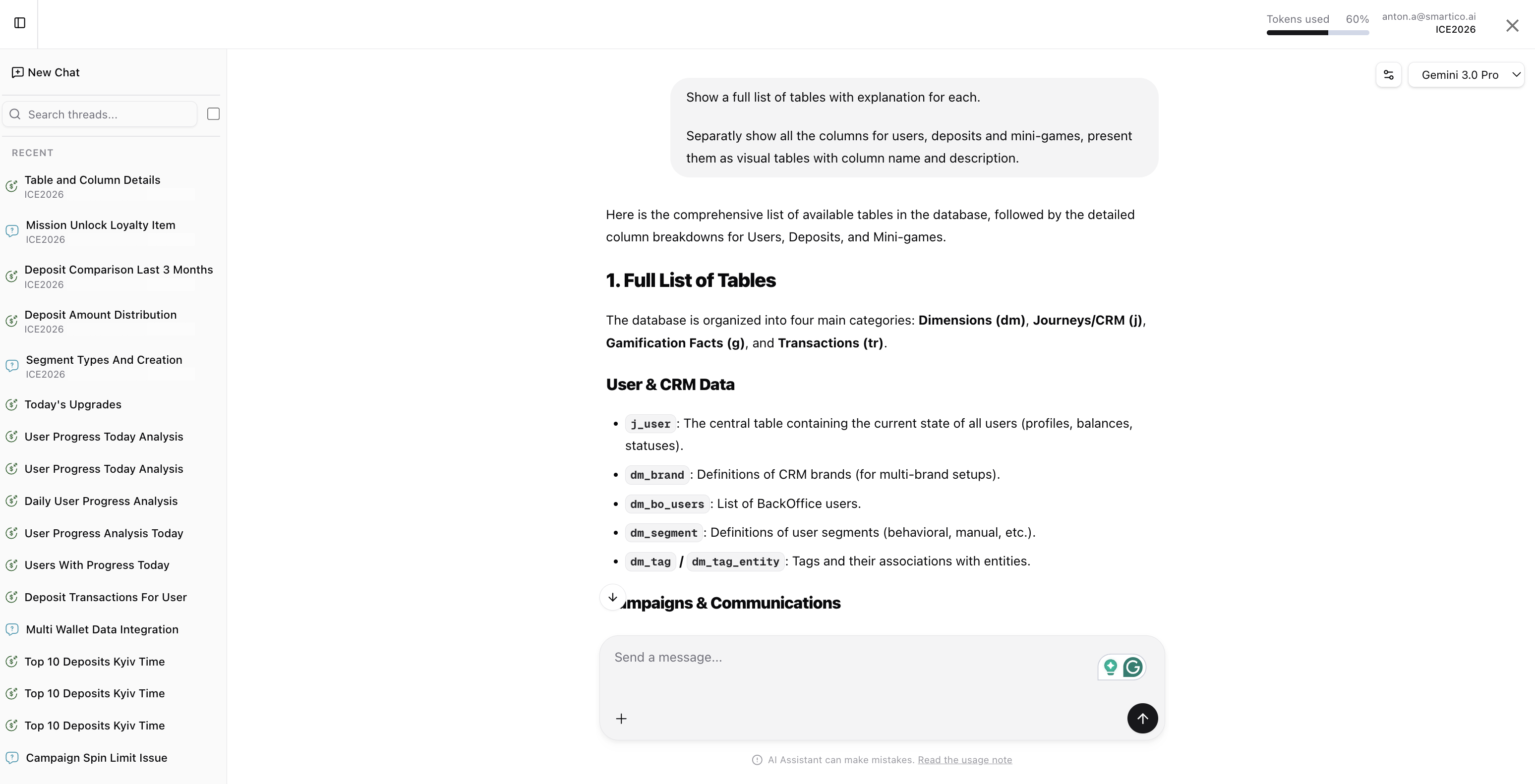
The **Data Analyst Agent** is your data analytics expert, capable of querying your setup data, generating SQL queries, creating visualizations, and providing data-driven insights into your platform usage and user behavior.
The agent has two main sources of data:
* Data from the integrated platform includes user profiles, bets, deposits, withdrawals, etc.
* Data produced by the Smartico system - campaigns, mini-games, missions, store items, jackpots, raffles, etc.
The best way to know what data is available is to ask the agent...
{% hint style="info" %}
Note that the available data depends on your system integration and usage.
If your integration doesn't provide 'withdrawal payment method' as part of the 'withdrawals' transactions, then you won't be able to analyse the data based on this attribute.
Or if you didn't use Jackpots, the agent will not see any tables and transactions related to the Jackpots
{% endhint %}
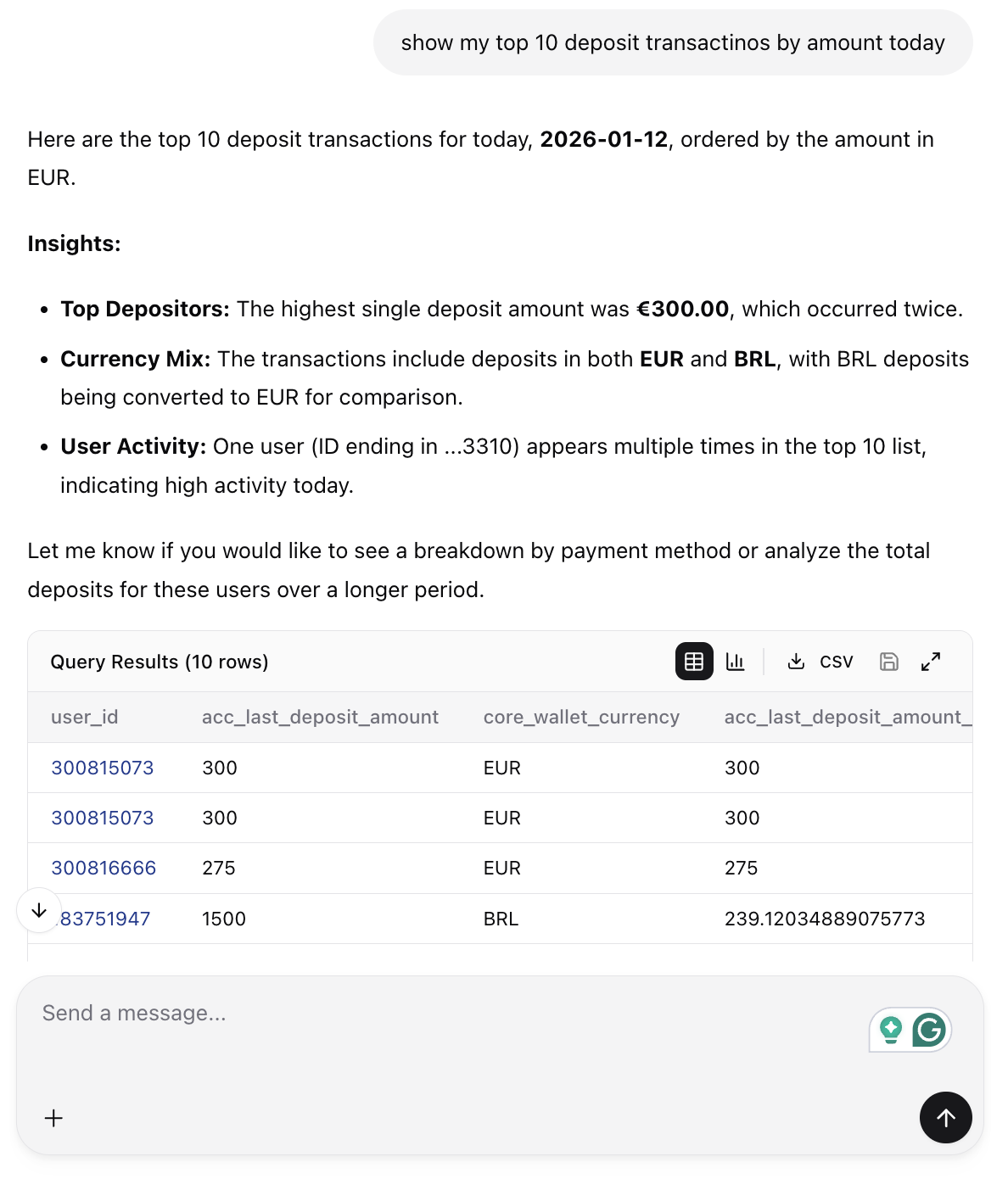
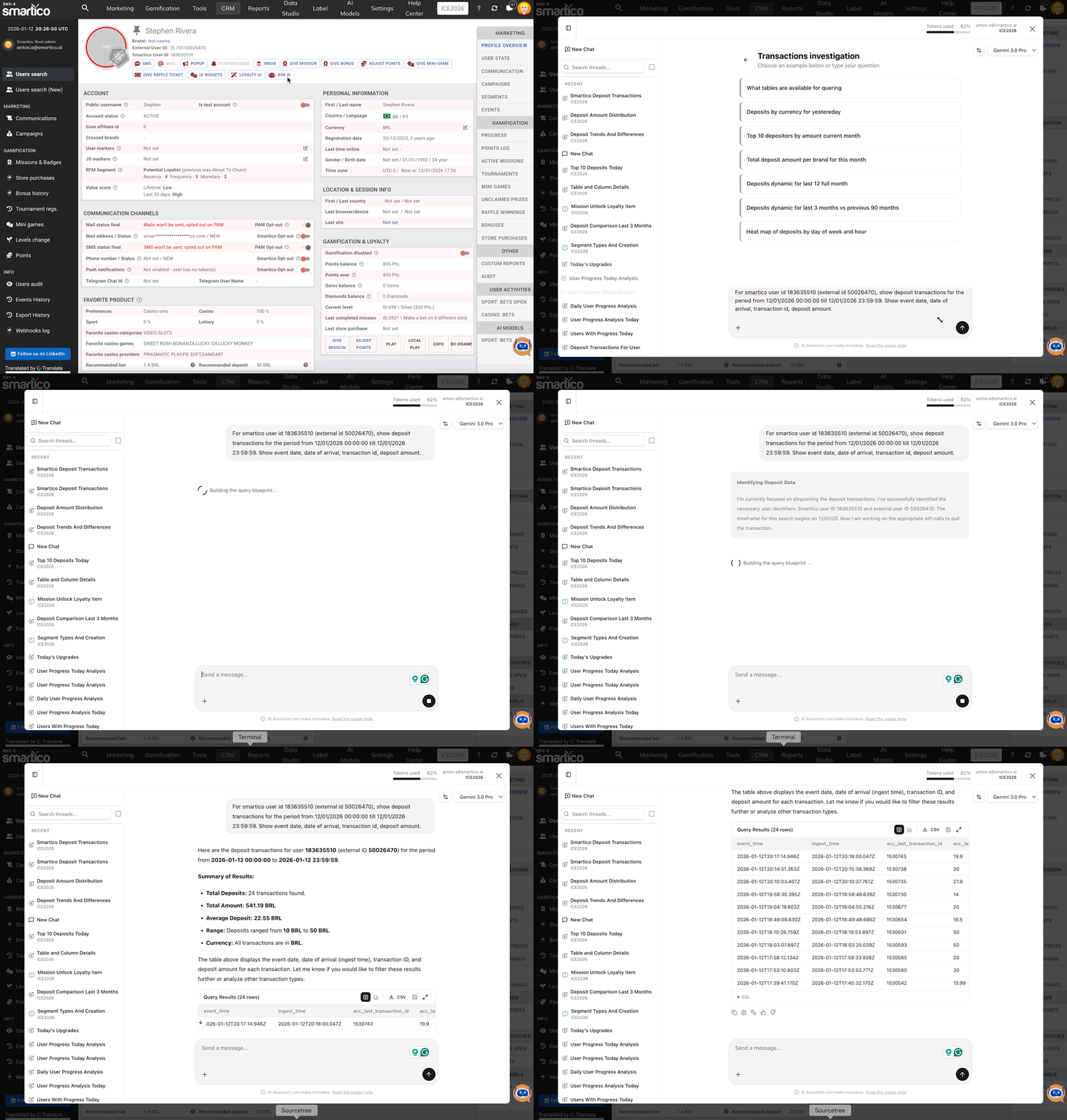
You can use the Data Analyst Agent to query raw data and export it to CSV.
### Data Display and Export Limits
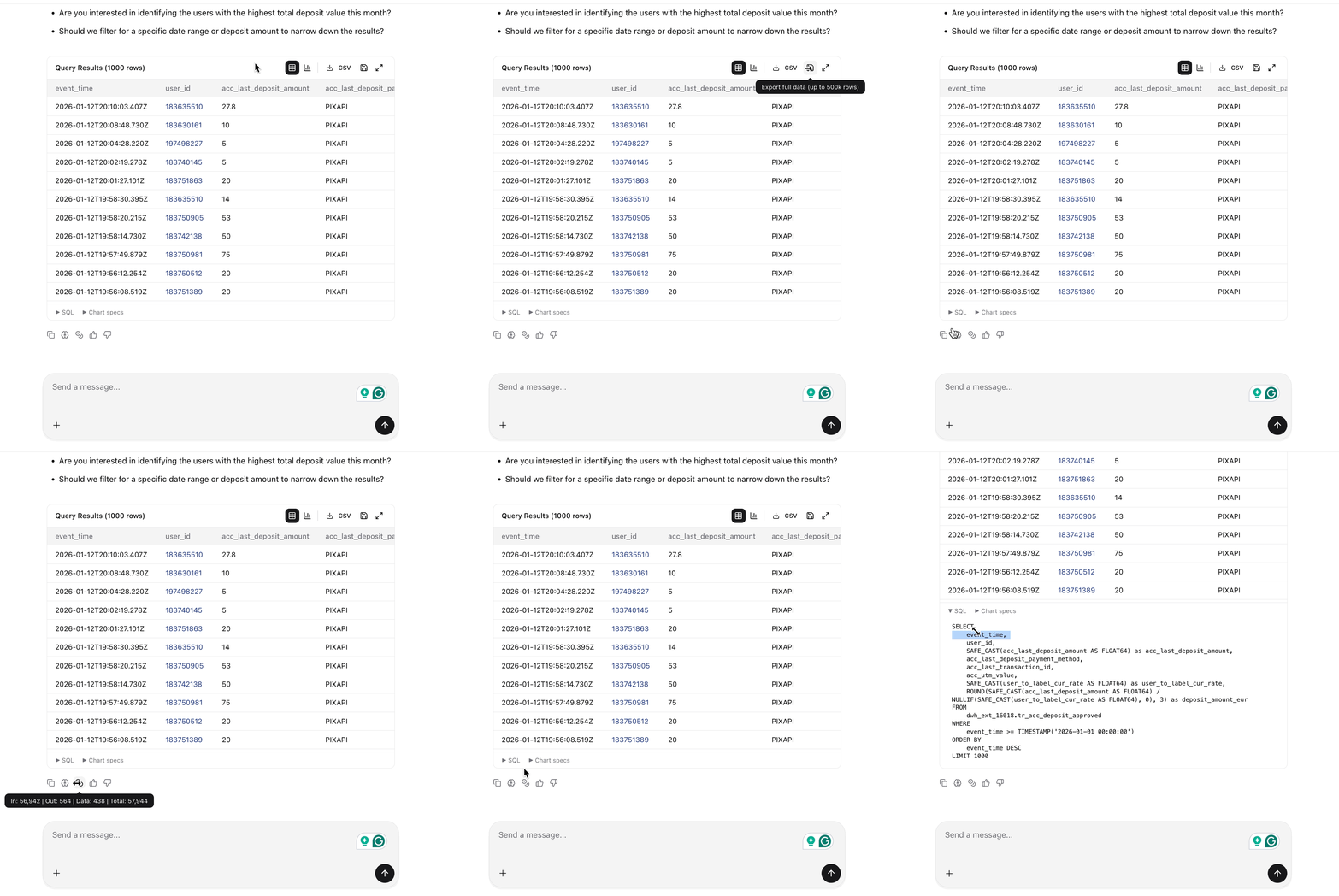
When querying data, the interactive in-chat table displays up to **1,000 rows** alongside summary statistics (such as minimum, maximum, average, and distinct counts). To inspect larger datasets, click the **Export to CSV** button to download the full result set, which supports exporting up to **500,000 rows**. During export, internal numeric IDs (such as brands, bonus templates, and transaction statuses) are automatically enriched into human-readable names.
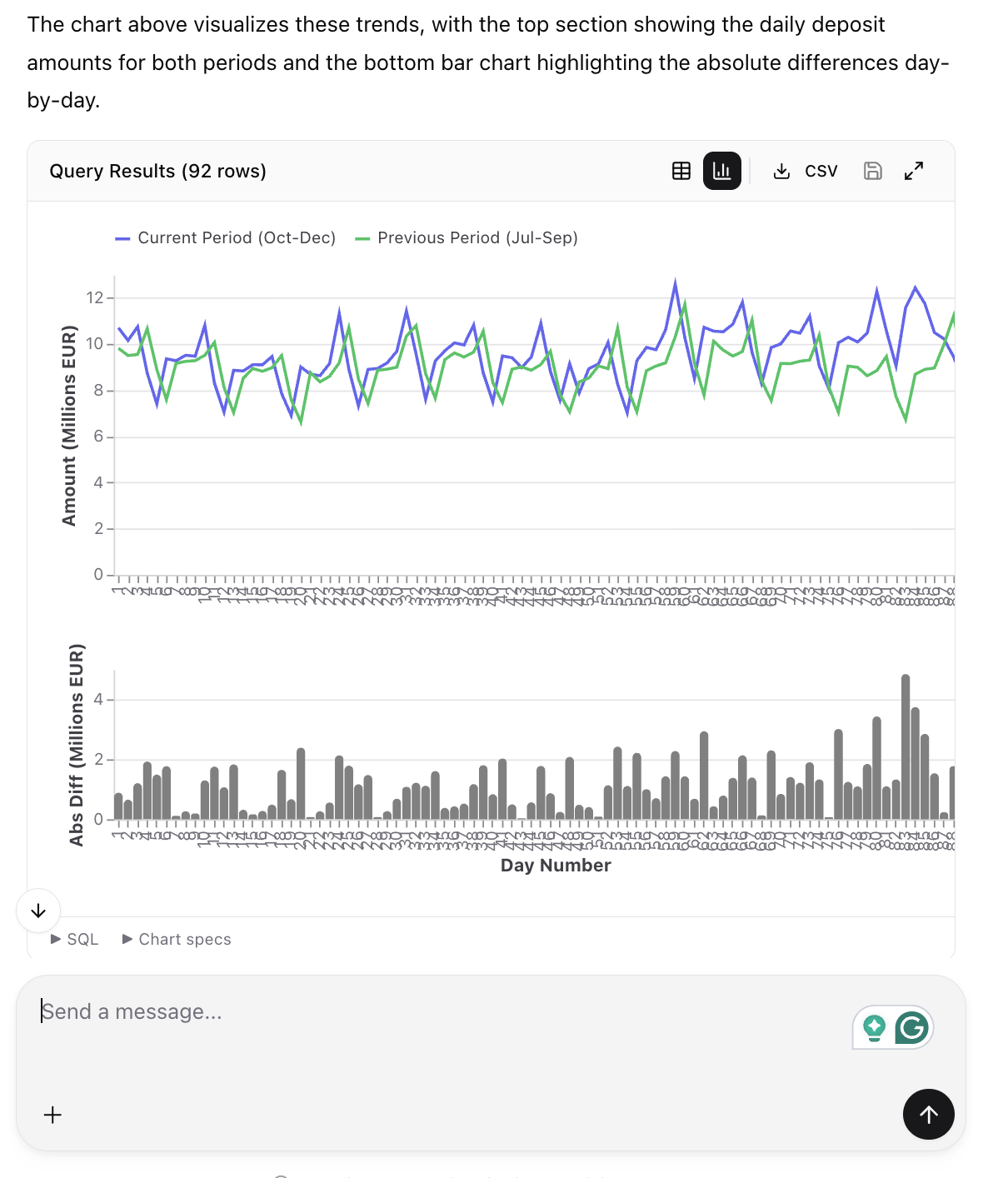
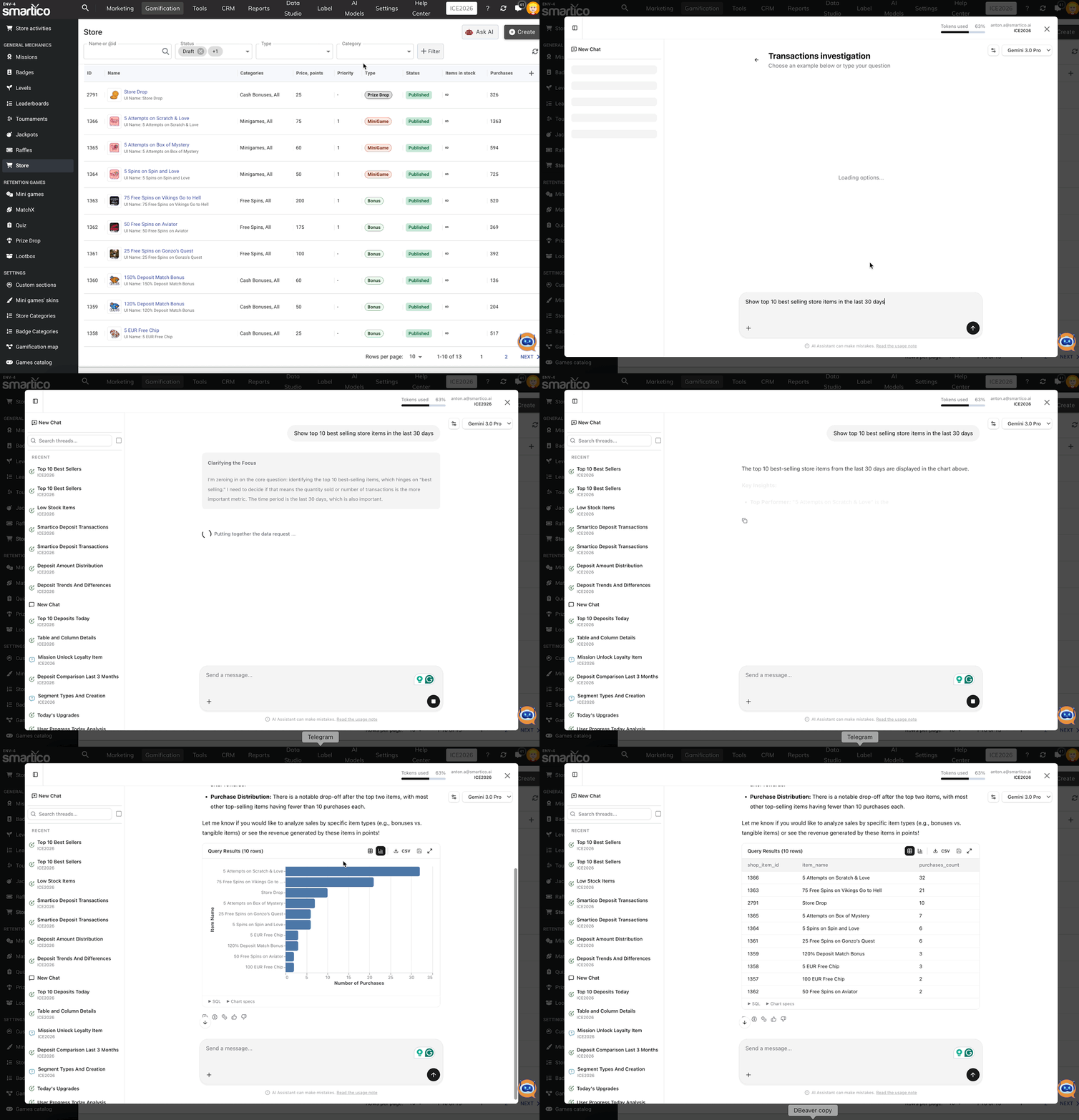
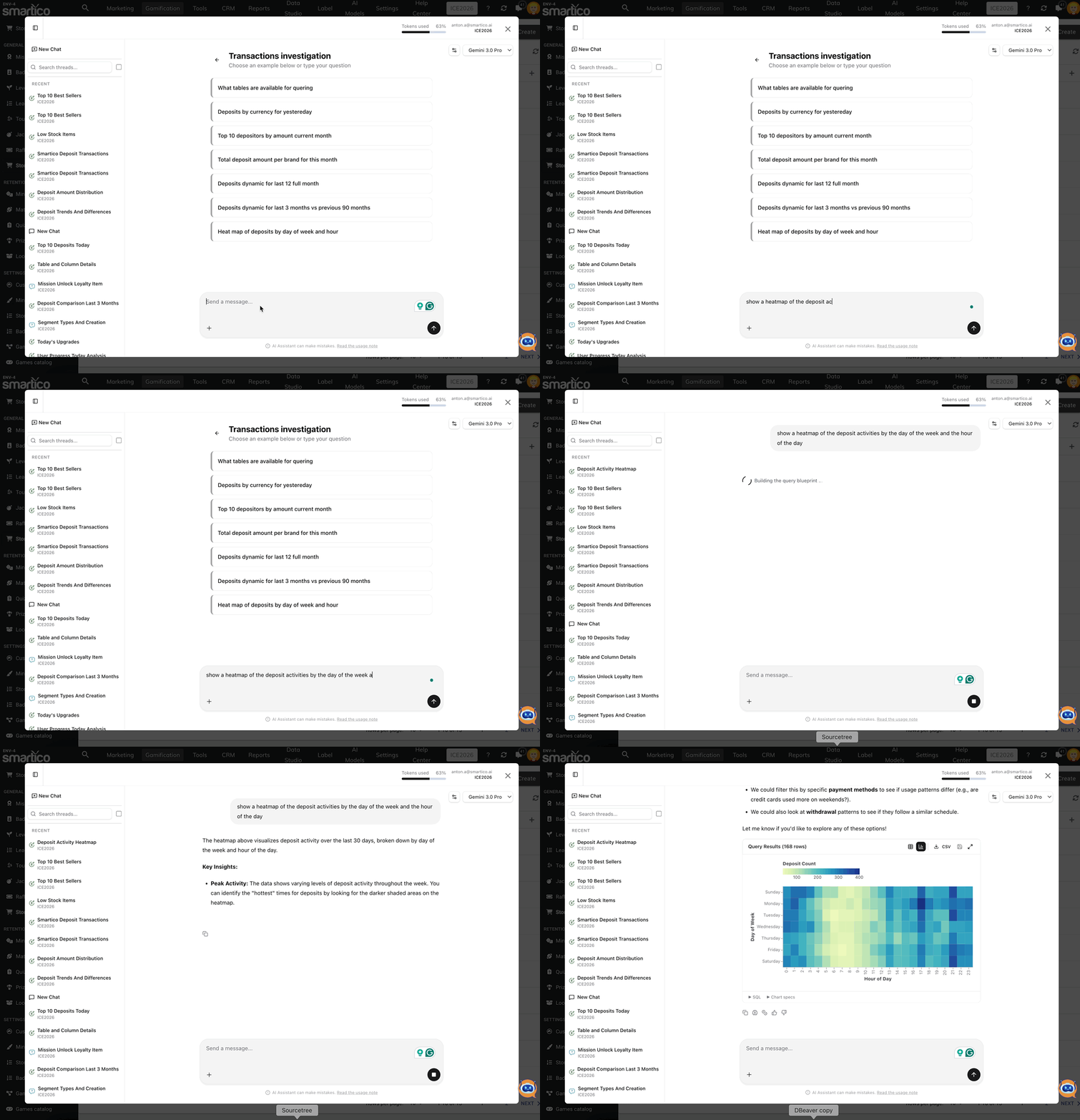
Whenever possible, the agent will generate the chart for ad-hoc analysis.
The Data Analyst Agent is using the same dataset as the one available to you in the [Smartico Data Warehouse](/welcome/technical-guides/smartico-data-warehouse.md). You can refer to the documentation to understand the dataset, its columns, and their semantics. For each dialog, you can find the SQL query that can be used against the Smartico DWH to produce the same results.
### Query Safety and Execution
The Data Analyst Agent translates natural-language questions into SQL executed against your label's isolated Data Warehouse dataset. All queries are strictly read-only: data modifications (such as insert, update, delete, or drop) are blocked by automated pre-validation before execution. For queries that scan large volumes of historical data, the agent performs a dry run and may ask for your confirmation before proceeding.
You can access the Data Analyst Agent from various sections in Smartico using the "**Ask AI**" button, which presents context-based questions to help you quickly generate reports on user and entity activities.
### Contextual "Ask AI" Locations
In addition to the global AI Assistant chat in the top bar, contextual **Ask AI** buttons are available throughout the Back-Office:
* **User Profile & User Search**: Instant queries on player deposits, withdrawals, casino turnover, game rounds, and sports betting.
* **Campaigns**: One-click analysis of entered users, conversions, 30-day conversion rates, attribution values, and communication channels.
* **Automation Rules**: Execution trends, top triggering users, and qualification versus execution rates.
* **Gamification Levels**: User level distributions, upgrade velocity, and cohort progression.
* **Store Items**: Purchase demand, buyer loyalty, buyer monetary profiles, and catalog health.
* **Missions & Achievements**: Completion trends, opt-in statistics, prize claim rates, and recent winners.
In the same way, you can analyse any other entities from the CRM or Gamification domain
Or you can build a custom query and request a specific visualisation
### Frequently Asked Questions
**What timezone is used for dates and date filters?**
Queries default to UTC timezone. If you need reports calculated according to your brand's operational timezone (such as Europe/Bratislava or America/Sao\_Paulo), specify the target timezone or explicit date boundaries in your prompt.
**Can I reuse the generated SQL query in my own BI tools or Data Warehouse?**
Yes. Every analytical response displays the complete SQL query executed by the agent. You can copy and run it directly in the Smartico Data Warehouse or your external reporting tools.
**Why does the agent state that certain metrics or columns are not available?**
Data availability reflects your brand's active platform integration and feature usage. If your integration does not pass specific event parameters (e.g. withdrawal payment method) or does not use a feature (e.g. Jackpots), those attributes will not be available for analysis.
**When does the agent produce a chart versus a table?**
The agent automatically creates interactive charts (such as bar, line, area, or pie charts) for aggregated summaries, trends, and categorical comparisons with up to 50 categories. For detailed user listings, raw transaction records, or single-entity lookups, it displays a data table with CSV export.
---
# Agent Instructions
This documentation is published with GitBook. GitBook is the documentation platform designed so that both humans and AI agents can read, navigate, and reason over technical content effectively. Learn more at gitbook.com.
## Querying This Documentation
If you need additional information that is not directly available in this page, you can query the documentation by asking a question.
Perform an HTTP GET request on the following URL with the `ask` and `goal` query parameters:
```
GET https://help.smartico.ai/welcome/products/ai-agents/ai-agent-data-analyst.md?ask=&goal=
```
`ask` is the immediate question: it should be specific, self-contained, and written in natural language.
`goal` is what the user is ultimately trying to achieve, the reason they need the answer. Sharing it helps GitBook give you a better, more relevant answer. A goal is most helpful when it describes the outcome the user wants rather than restating the question. For example, with `ask=how do I create an API token`, a goal like `automate deployments from our CI pipeline` lets GitBook tailor the answer to that use case.
The response will contain a direct answer to the question and relevant excerpts and sources from the documentation.
Use this mechanism when the answer is not explicitly present in the current page, you need clarification or additional context, or you want to retrieve related documentation sections.