> For the complete documentation index, see [llms.txt](https://help.smartico.ai/welcome/llms.txt). Markdown versions of documentation pages are available by appending `.md` to page URLs; this page is available as [Markdown](https://help.smartico.ai/welcome/products/release-notes/january-2023.md).
# January 2023
Smartico release notes for January 2023 - covering CRM Automation and Gamification improvements done since the previous release.
## CRM Automation
### Copy - Paste Campaign flows
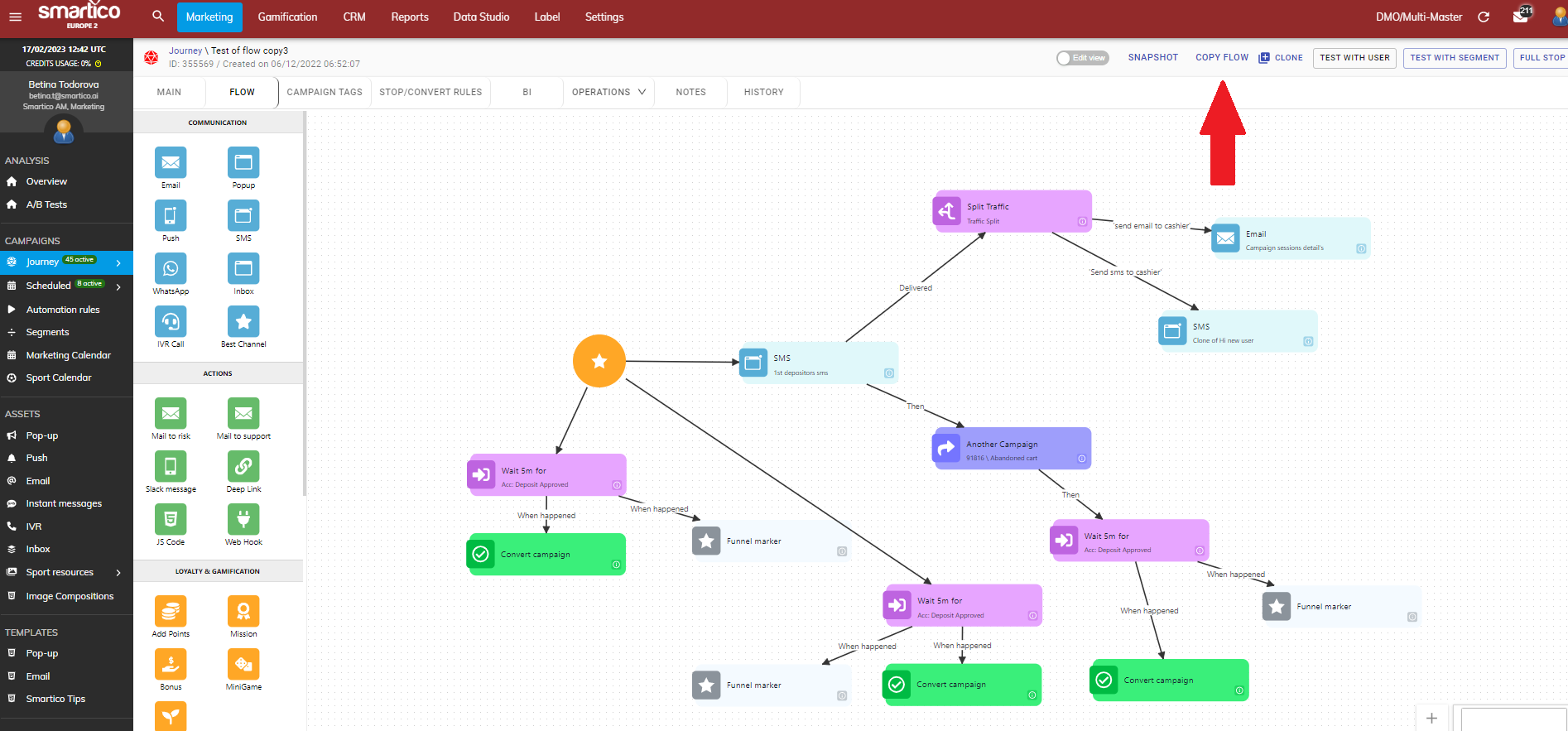
You can now copy the full flow structure from one campaign to another. You can simply achieve that by clicking on the "Copy Flow" button:
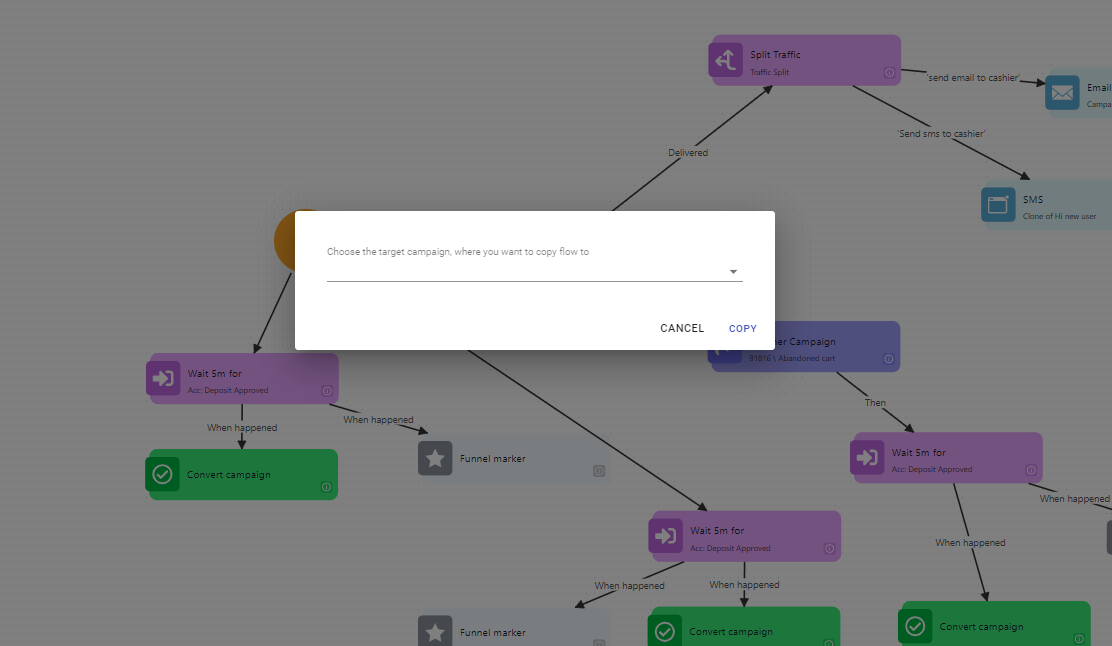
System would then allow you to choose from the dropdown menu to which campaign you want the flow structure to get copied to:
Feature is available for both real-time campaigns (journeys) and scheduled campaigns.
The target campaign must already exist before copying. When copying a flow, you can also toggle "Copy annotations" to include canvas sticky notes from the source campaign.
### Campaign Communication history extended with possibility to search by brand and by specific resource
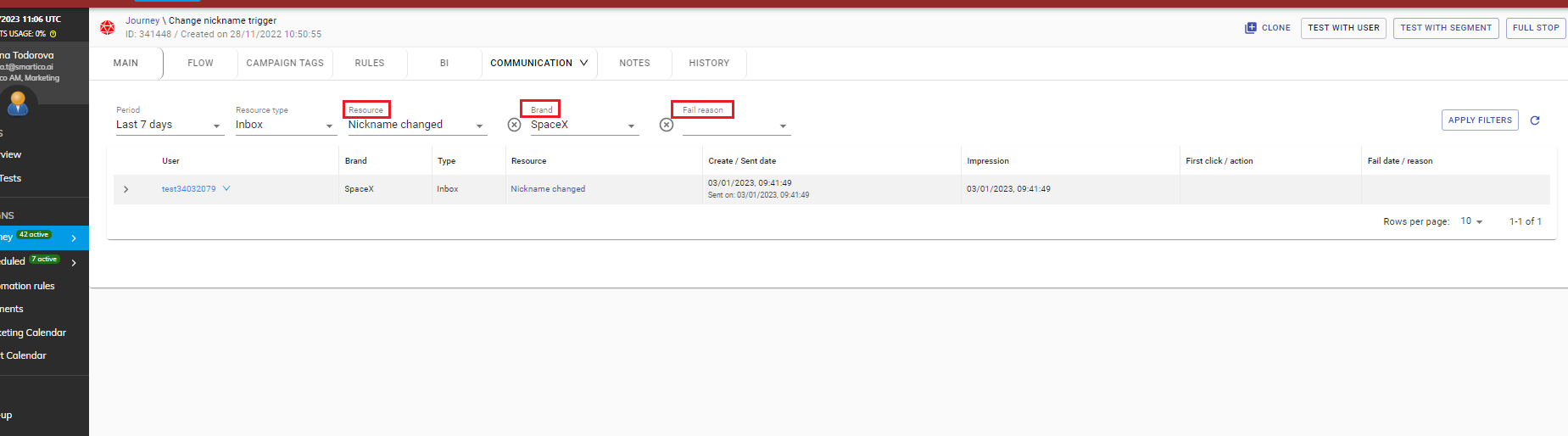
We added additional filtering options in the campaign communications tab. That way you can review which users received a specific asset from the campaign and analyze results in more depth.
Please note that in order for the "Resource" filter to populate, you need to first choose an asset type in "Resource type".
## Gamification
### Widget configurations
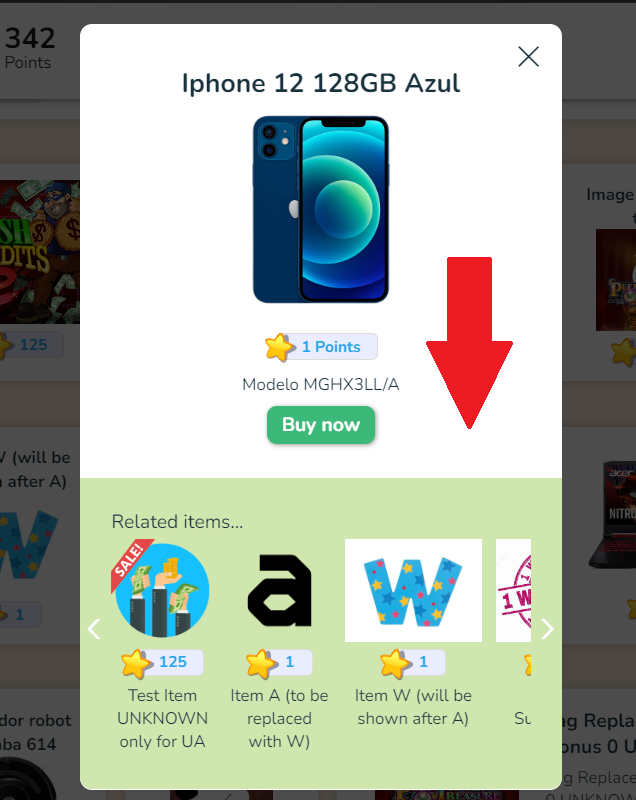
**Decision to show or hide the related items in store section ("show\_related\_items\_store" : true/false)**
You can configure whether related items appear in the store by navigating to Label Management > Settings > Widget / Real users > Store and toggling "Show related items in the store" (also available under Brand Settings for multi-brand operators).
When enabled, the store modal displays related items below the selected item. If specific related items are configured on the item itself, those are shown; otherwise, items from the same store category are displayed automatically.
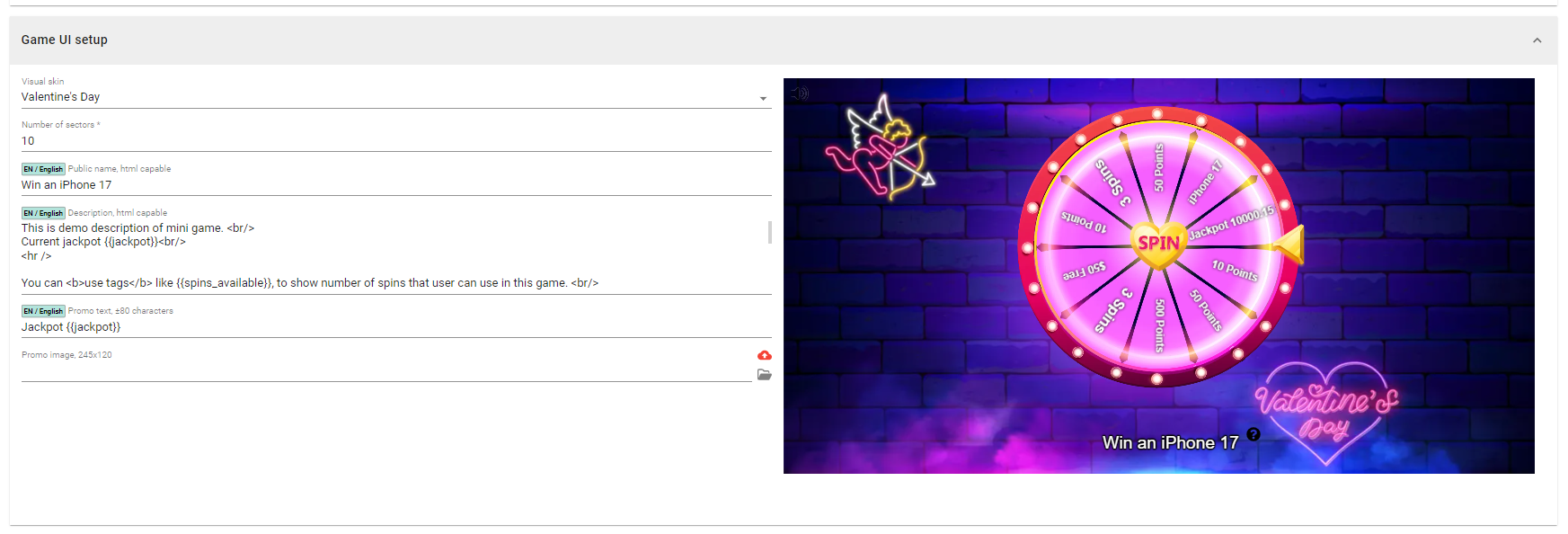
### Spin the wheel - new Valentine's Day skin available
New Valentine's Day skin is available for spin the wheel.
---
# Agent Instructions
This documentation is published with GitBook. GitBook is the documentation platform designed so that both humans and AI agents can read, navigate, and reason over technical content effectively. Learn more at gitbook.com.
## Querying This Documentation
If you need additional information that is not directly available in this page, you can query the documentation by asking a question.
Perform an HTTP GET request on the following URL with the `ask` and `goal` query parameters:
```
GET https://help.smartico.ai/welcome/products/release-notes/january-2023.md?ask=&goal=
```
`ask` is the immediate question: it should be specific, self-contained, and written in natural language.
`goal` is what the user is ultimately trying to achieve, the reason they need the answer. Sharing it helps GitBook give you a better, more relevant answer. A goal is most helpful when it describes the outcome the user wants rather than restating the question. For example, with `ask=how do I create an API token`, a goal like `automate deployments from our CI pipeline` lets GitBook tailor the answer to that use case.
The response will contain a direct answer to the question and relevant excerpts and sources from the documentation.
Use this mechanism when the answer is not explicitly present in the current page, you need clarification or additional context, or you want to retrieve related documentation sections.