> For the complete documentation index, see [llms.txt](https://help.smartico.ai/welcome/llms.txt). Markdown versions of documentation pages are available by appending `.md` to page URLs; this page is available as [Markdown](https://help.smartico.ai/welcome/products/mini-games/custom-skins-for-mini-games/coin-flip-skins.md).
# Coin Flip Skins
{% hint style="success" %}
We can provide a Figma template for Mini-games skins upon request.
Please note that any images exported from the template must be compressed before uploading them to the Back Office. You can use [this link](https://tinypng.com/) to compress your images.
For further assistance, please contact your Customer Success Manager!
{% endhint %}
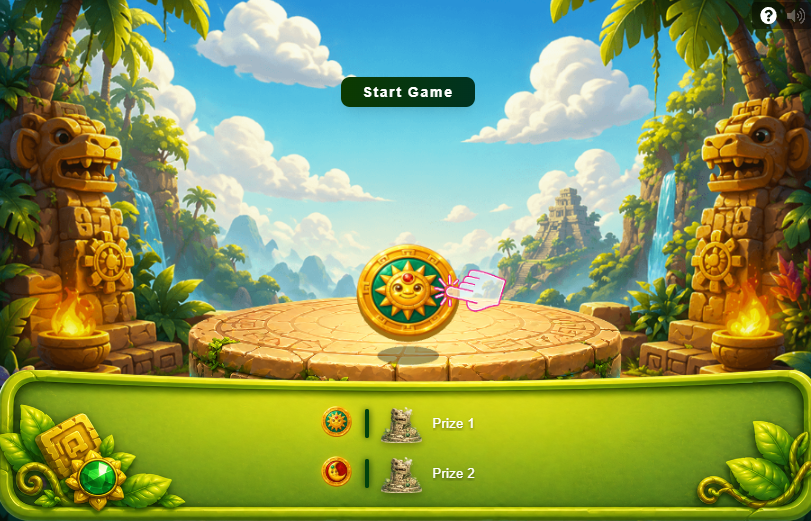
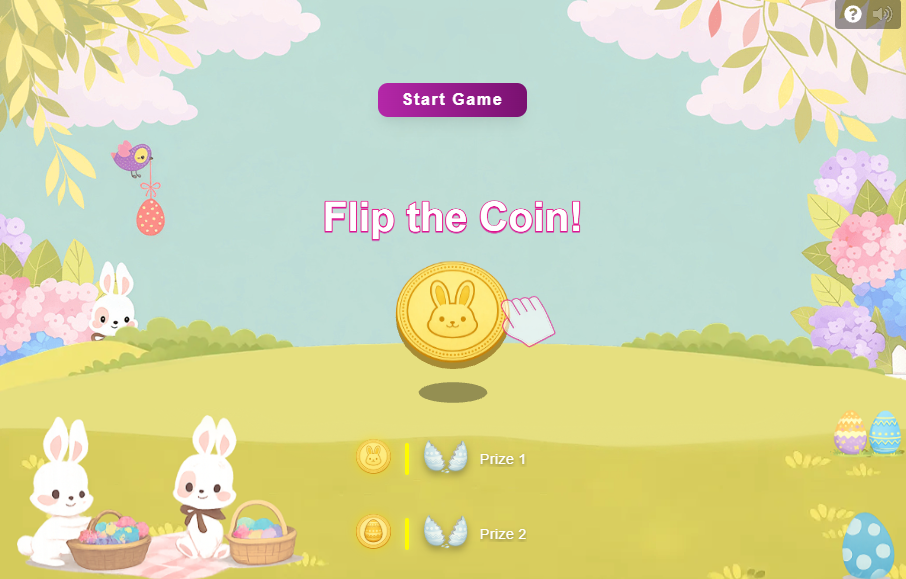
For **'Coin Flip,'** you can create custom skins by downloading any of the reference packages below as a template. Note that image and audio files must be uncompressed and uploaded together unpacked (not as a .zip archive) in the Back Office skin editor. Below you can find our global skins available in the Back Office:
{% file src="/files/C8hDqoUOu1ri0sbwO46f" %}
{% file src="/files/y8CxRU77zx5lrRqZ4lD8" %}
{% file src="/files/fcFfKMrZoNeEtCbd6Njo" %}
{% file src="/files/lCE0RvxaNGiNcHfVeo5x" %}
{% file src="/files/FANEDcJziT12Roh6G1RB" %}
{% file src="/files/TH9r8921Y0qOpVILiq4x" %}
{% file src="/files/R6cLPPXuw97lsrB4b1LB" %}
### Required Skin Assets & File Specifications
A complete Coin Flip skin package consists of 28 PNG image files and 8 MP3 audio files with exact naming:
* **Game Scene Images (PNG):**
* `game-bg.png` — Main desktop game background.
* `game-bg-mob.png` — Mobile game background.
* `coin-head.png` & `coin-tail.png` — Front (Heads) and back (Tails) faces of the coin.
* `platform-desktop.png` & `platform-mobile.png` — Platform base where the coin lands on desktop and mobile.
* `bottom-line-desktop.png` & `bottom-line-mobile.png` — Bottom panel overlay bar for desktop and mobile.
* `hand-closed.png` & `hand-finger.png` — Hand illustrations for the coin flip interaction.
* `promo-image.png` — Promotional banner image.
* `prize-no-image.png` — Fallback icon for prizes without uploaded icons.
* `ico.png` — Mini-game skin icon displayed in the Back Office.
* **Pop-up & Button Elements (50x50 px and 22x44 px PNG):**
* 9-slice pop-up backgrounds: `popup_bg_top_left.png`, `popup_bg_top.png`, `popup_bg_top_right.png`, `popup_bg_left.png`, `popup_bg_center.png`, `popup_bg_right.png`, `popup_bg_bottom_left.png`, `popup_bg_bottom.png`, `popup_bg_bottom_right.png` (50x50 px each).
* 3-slice button frames: `button_primary_bg_left.png`, `button_primary_bg_center.png`, `button_primary_bg_right.png`, `button_secondary_bg_left.png`, `button_secondary_bg_center.png`, `button_secondary_bg_right.png` (22x44 px each).
* **Audio Files (MP3, max 1MB):**
* `coingame-background.mp3` (background music), `coin-flip.mp3` (flip sound), `coin-rotation.mp3` (spinning sound), `coin-landed.mp3` (landing sound), `prize-sound.mp3` (prize reveal), `win-sound.mp3` (win effect), `lose-sound.mp3` (lose effect), and `main-button-sound.mp3` (button click). Silent MP3 files can be uploaded if audio is not needed.
### Related Guides
For general skin preparation guidelines, CSS tips, and 9-slice pop-up slicing specifications across all mini-games, refer to the [Custom skins for Mini-games](https://help.smartico.ai/welcome/products/mini-games/custom-skins-for-mini-games) documentation.
### Frequently Asked Questions
**Q: Can I adjust the win probability of Heads vs Tails in the Coin Flip mini-game?**
A: No. In Coin Flip, the winning prize is selected server-side according to the prize weights configured in your mini-game template's prize pool (which supports between 2 and 12 prizes). The client assigns the winning prize and a random competing prize to Heads or Tails visually. To adjust win chances, modify the prize drop probabilities in the mini-game template rather than the skin.
**Q: Where can I change the labels for attempts left or button text?**
A: Game interface text such as attempts remaining, Heads/Tails labels, and button prompts are managed under **Content** → **Translations** in the Back Office, or directly in the mini-game template's UI definition.
**Q: How do I disable background music or sound effects?**
A: If you prefer the game to have no background music or sound effects, upload silent MP3 files using the required audio filenames in your skin asset package.
---
# Agent Instructions
This documentation is published with GitBook. GitBook is the documentation platform designed so that both humans and AI agents can read, navigate, and reason over technical content effectively. Learn more at gitbook.com.
## Querying This Documentation
If you need additional information that is not directly available in this page, you can query the documentation by asking a question.
Perform an HTTP GET request on the following URL with the `ask` and `goal` query parameters:
```
GET https://help.smartico.ai/welcome/products/mini-games/custom-skins-for-mini-games/coin-flip-skins.md?ask=&goal=
```
`ask` is the immediate question: it should be specific, self-contained, and written in natural language.
`goal` is what the user is ultimately trying to achieve, the reason they need the answer. Sharing it helps GitBook give you a better, more relevant answer. A goal is most helpful when it describes the outcome the user wants rather than restating the question. For example, with `ask=how do I create an API token`, a goal like `automate deployments from our CI pipeline` lets GitBook tailor the answer to that use case.
The response will contain a direct answer to the question and relevant excerpts and sources from the documentation.
Use this mechanism when the answer is not explicitly present in the current page, you need clarification or additional context, or you want to retrieve related documentation sections.