> For the complete documentation index, see [llms.txt](https://help.smartico.ai/welcome/llms.txt). Markdown versions of documentation pages are available by appending `.md` to page URLs; this page is available as [Markdown](https://help.smartico.ai/welcome/products/mini-games/coin-flip.md).
# Coin Flip
Coin Flip is a fun mini-game where players flip a coin to win a prize. Each side holds a different reward, and the outcome depends on where the coin lands.
### How does it work?
The Coin Flip game comes with several pre-built global skins that are ready to use, while also offering full customization so you can create your own. You can define the type and quantity of prizes, set the cost per attempt (free, gamification points, spin attempts, gems, or diamonds), define the prize probability, choose which user segments can access the game, and much more.
**Gameplay:**
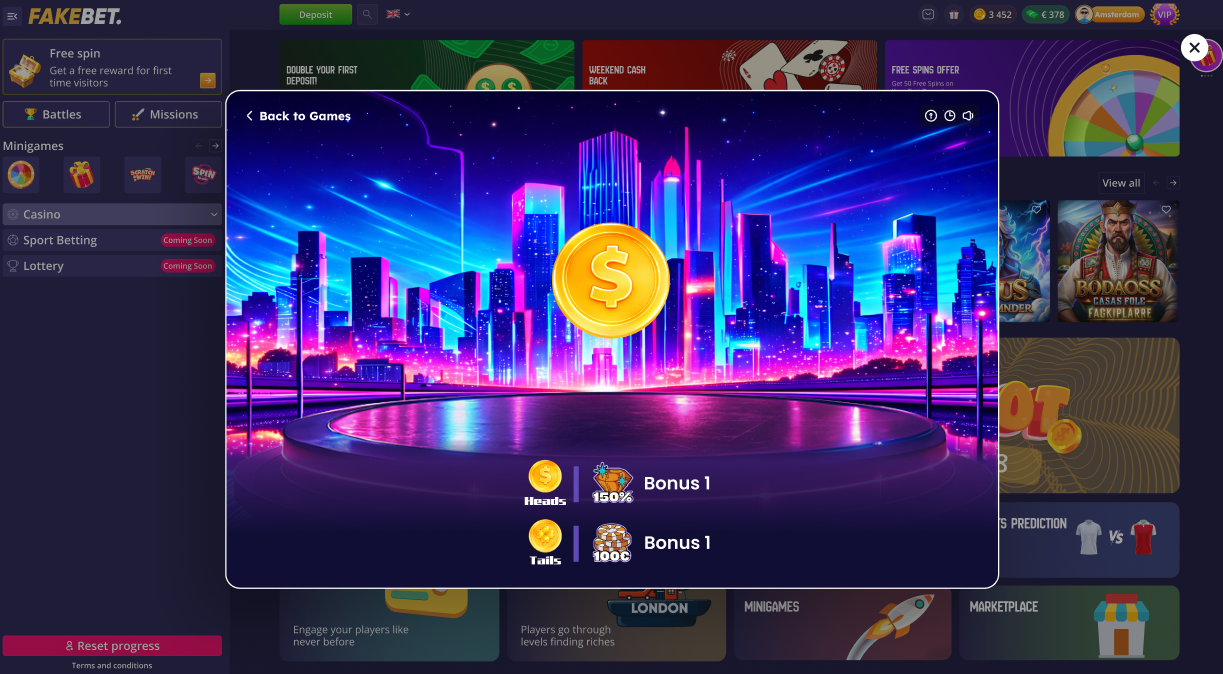
When players open the game, they see the starting screen displaying all possible prizes. After clicking Start, two prizes are automatically selected and assigned to each side of the coin. The player then clicks the coin to flip it. Once the coin lands, the prize assigned to the selected side is awarded to the player.
### Configuration
You can configure Coin Flip in the Back Office → Gamification → Mini-Games section.
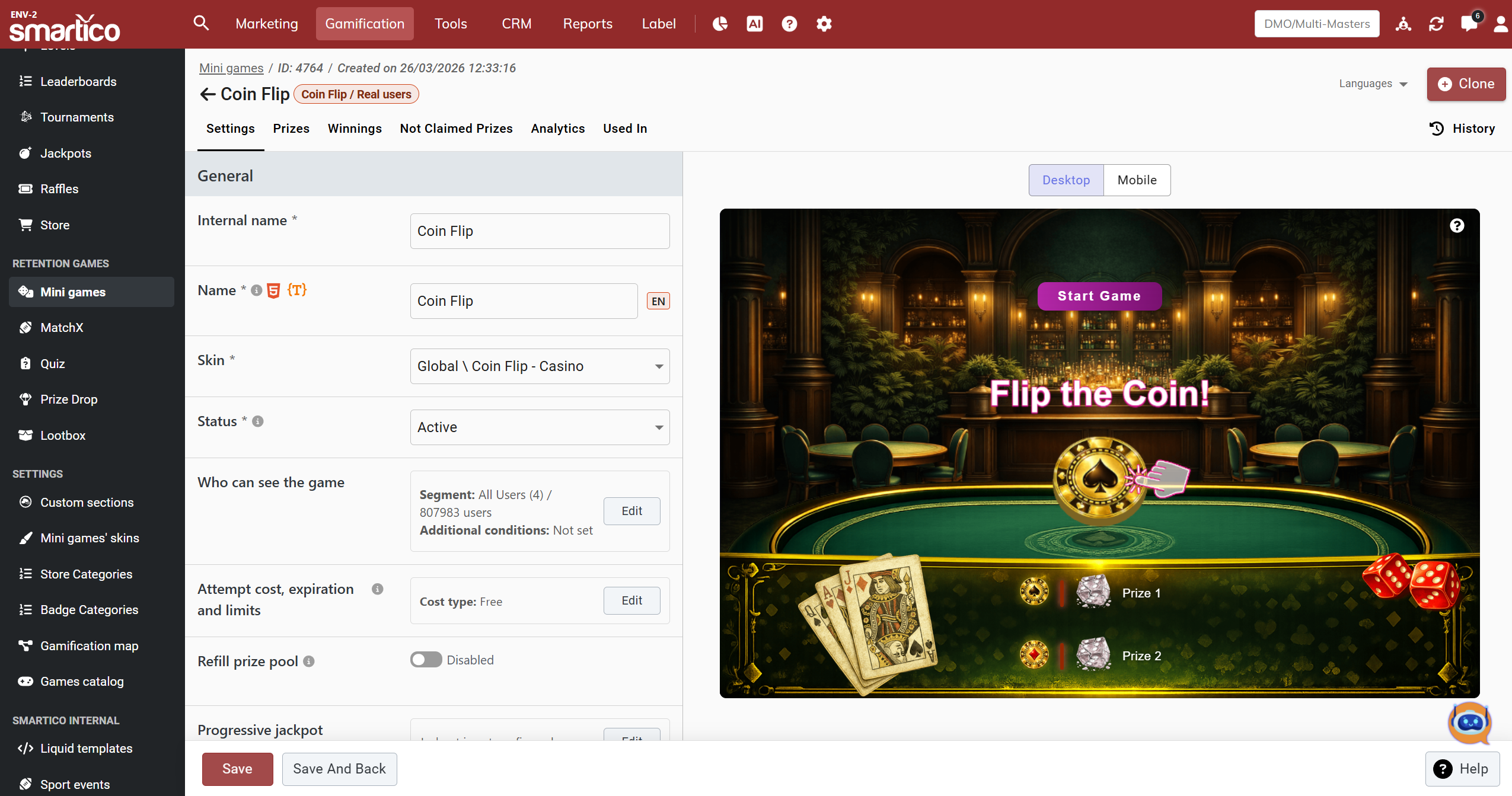
BO: Coin Flip mini-game template
Its setup template is similar to other random mini-games (Spin the Wheel, Ballanza, Gift Box), featuring the following tabs:
* Settings (includes General and Advanced configuration tabs)
* Prizes
* Winnings
* Not claimed prizes
* Analytics
* Used In
* User Attempts (visible when cost type is set to spin attempts)
* History
{% hint style="info" %}
The main difference is that Coin Flip supports between 2 and 12 prizes only.
{% endhint %}
### Supported Prize Types & Progressive Jackpots
Coin Flip supports all standard mini-game prize types, including Gamification Points, Bonus Money/Free Spins, Tangible Gifts, Spin Attempts, Badges/Missions, Raffle Tickets, Gems/Diamonds, and "No Prize" outcomes.
Additionally, operators can enable an in-game Progressive Jackpot by setting a guaranteed starting jackpot amount and an incremental jackpot contribution per spin attempt.
### Standalone Mode
You can launch Coin Flip in standalone mode directly from a campaign or via a deep link. This makes it easy to trigger the game from missions or other features.
Examples:
* `dp:gf_saw&id=123` → opens the game with ID 123 in the Gamification Widget context
* `dp:gf_saw&id=123&standalone=true` → opens the same game in standalone mode
You can find all the skins [here](https://help.smartico.ai/welcome/products/mini-games/custom-skins-for-mini-games/coin-flip-skins)
---
# Agent Instructions
This documentation is published with GitBook. GitBook is the documentation platform designed so that both humans and AI agents can read, navigate, and reason over technical content effectively. Learn more at gitbook.com.
## Querying This Documentation
If you need additional information that is not directly available in this page, you can query the documentation by asking a question.
Perform an HTTP GET request on the following URL with the `ask` and `goal` query parameters:
```
GET https://help.smartico.ai/welcome/products/mini-games/coin-flip.md?ask=&goal=
```
`ask` is the immediate question: it should be specific, self-contained, and written in natural language.
`goal` is what the user is ultimately trying to achieve, the reason they need the answer. Sharing it helps GitBook give you a better, more relevant answer. A goal is most helpful when it describes the outcome the user wants rather than restating the question. For example, with `ask=how do I create an API token`, a goal like `automate deployments from our CI pipeline` lets GitBook tailor the answer to that use case.
The response will contain a direct answer to the question and relevant excerpts and sources from the documentation.
Use this mechanism when the answer is not explicitly present in the current page, you need clarification or additional context, or you want to retrieve related documentation sections.
.png?alt=media&token=daf61407-f84b-4322-bca3-a7dcf9b33ce5)
.png?alt=media&token=953f76d6-a41a-4327-8e5b-7aa3925ed645)