> For the complete documentation index, see [llms.txt](https://help.smartico.ai/welcome/llms.txt). Markdown versions of documentation pages are available by appending `.md` to page URLs; this page is available as [Markdown](https://help.smartico.ai/welcome/products/crm-automation/activities-of-flows/activity-check-user-profile.md).
# Activity: Check User Profile
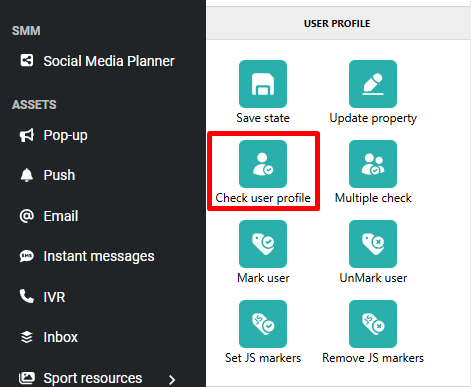
Check user profile is an activity available in Campaign > Flow that evaluates a user's profile property values and branches the journey based on the result.
For multi-way branching across multiple custom condition sets, see [Activity Type: “Multiple Check”](/welcome/products/crm-automation/activities-of-flows/activity-type-multiple-check.md). To keep event values for later messages (as tags in creatives), see [Activity: Save State](/welcome/products/crm-automation/activities-of-flows/activity-save-state.md). Values saved by Save State cannot be used in Check User Profile conditions.
For example, the operator wants to send a Push notification message, and before that, to check if the user has devices with push notification permissions allowed ("Core: push enabled, user has at least one device").
### FAQ
**Q: Why are event properties not appearing in the condition builder?**
**A:** Event payload properties are only available when the Check User Profile activity directly follows the campaign trigger event or a Wait for Event activity. If other activities sit between them, event context is lost. Save State does not help here: it keeps values only for tags in messages, not for conditions. Place the check directly after the trigger or after a **Wait for Event** activity.
**Q: Can I create more than two branching paths?**
**A:** Check User Profile only supports two paths (Matching and Not Matching). For multiple branching outcomes, use the Multiple Check activity instead.
### Evaluating Event Properties vs. Profile Properties
The condition builder allows evaluating persistent user profile properties as well as dynamic event properties:
* **User profile properties**: Core attributes, communication channel permissions, gamification statistics, and custom properties stored on the player's profile are always available for evaluation at any point in the flow.
* **Event properties**: Properties passed in the payload of an incoming event are available in the condition builder **only** when the Check User Profile activity is connected directly to the Journey trigger event or directly after a **Wait for Event** activity. If downstream activities (such as Delays or Message deliveries) precede the check, the event payload is no longer in scope. Values saved with the **Save state** activity are not available in conditions either; they can only be used as tags in messages.
The operator can add one or more Conditions and “OR” Groups:
* **Consecutive Checks**: You cannot place a Check User Profile activity immediately after another Check User Profile activity. Instead, combine all necessary conditions into a single step using AND conditions and OR groups.
### Outgoing connections
The Check user profile step has two outgoing connections (no **Then**):
Outgoing connections of Check user profile in a flow. The numbers match the table below.
| # | Connection | When the player goes this way |
| - | ---------------- | --------------------------------------------------------------------------------------------------------------------------------------------------- |
| 1 | **Matching** | The player's profile (and the data of the event that started the campaign) matches all the conditions. |
| 2 | **Not Matching** | One or more conditions do not match. With nothing connected here, a player who does not match stops at this step and gets no further steps from it. |
---
# Agent Instructions
This documentation is published with GitBook. GitBook is the documentation platform designed so that both humans and AI agents can read, navigate, and reason over technical content effectively. Learn more at gitbook.com.
## Querying This Documentation
If you need additional information that is not directly available in this page, you can query the documentation by asking a question.
Perform an HTTP GET request on the following URL with the `ask` and `goal` query parameters:
```
GET https://help.smartico.ai/welcome/products/crm-automation/activities-of-flows/activity-check-user-profile.md?ask=&goal=
```
`ask` is the immediate question: it should be specific, self-contained, and written in natural language.
`goal` is what the user is ultimately trying to achieve, the reason they need the answer. Sharing it helps GitBook give you a better, more relevant answer. A goal is most helpful when it describes the outcome the user wants rather than restating the question. For example, with `ask=how do I create an API token`, a goal like `automate deployments from our CI pipeline` lets GitBook tailor the answer to that use case.
The response will contain a direct answer to the question and relevant excerpts and sources from the documentation.
Use this mechanism when the answer is not explicitly present in the current page, you need clarification or additional context, or you want to retrieve related documentation sections.